
Work/019/Concept study · Maps
A livability layer for Google Maps
What if the map that gets you to a city could also tell you whether you’d want to live there?
Concept study. Designed during DesignLab’s UX Academy, not a shipped product.
- Role
- Sole designer, research and design
- With
- A DesignLab mentor and group critiques
- Year
- Fall 2024, 12 weeks
- Tools
- Figma, Framer, Zoom, Maze
01The short version
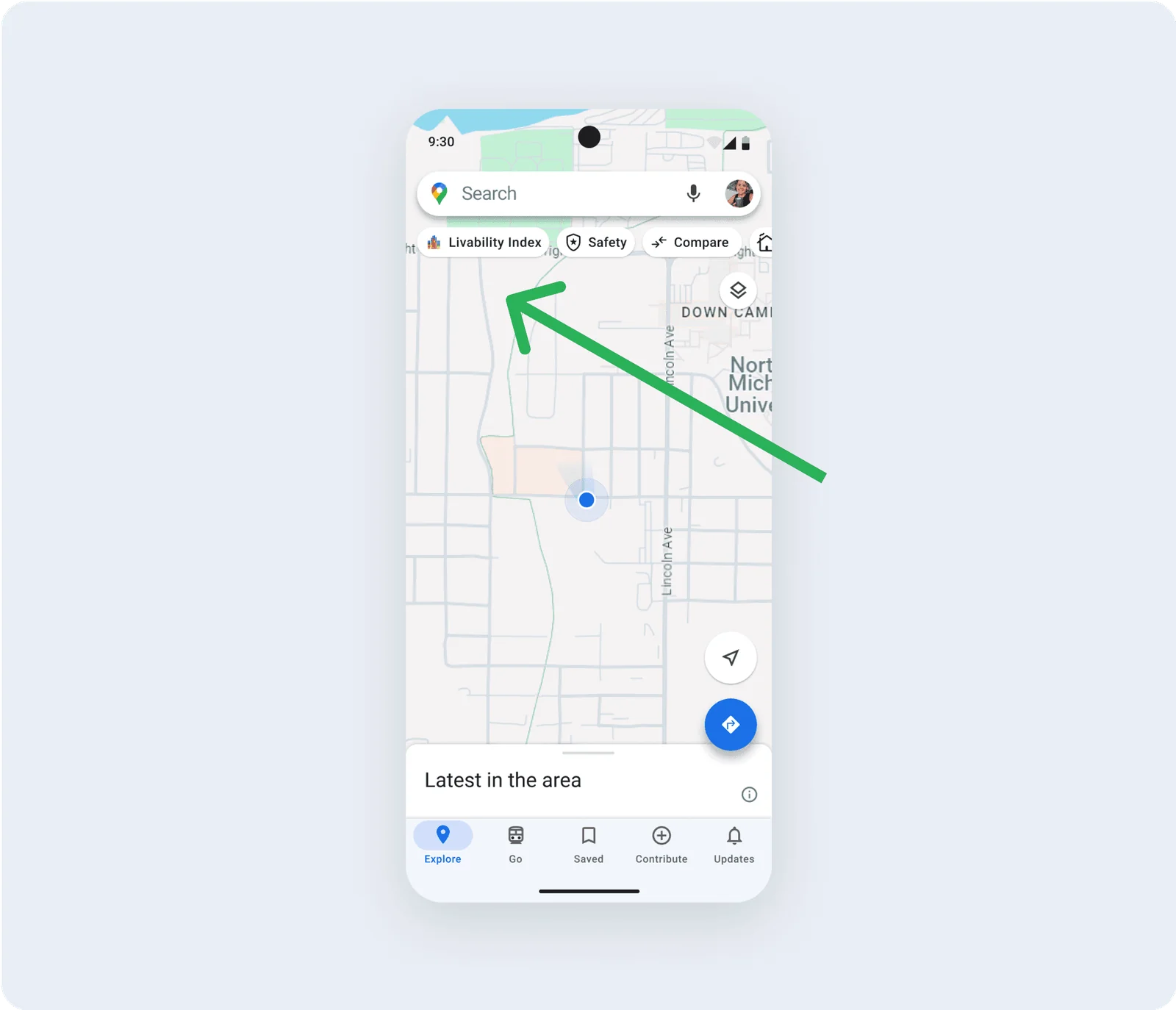
People comparing cities hop between tabs. I designed a livability layer inside Google Maps, with colour overlays on the map and input from locals.
I did it on my own as a DesignLab project, independently from Google, and tested it with 8 people in moderated sessions.
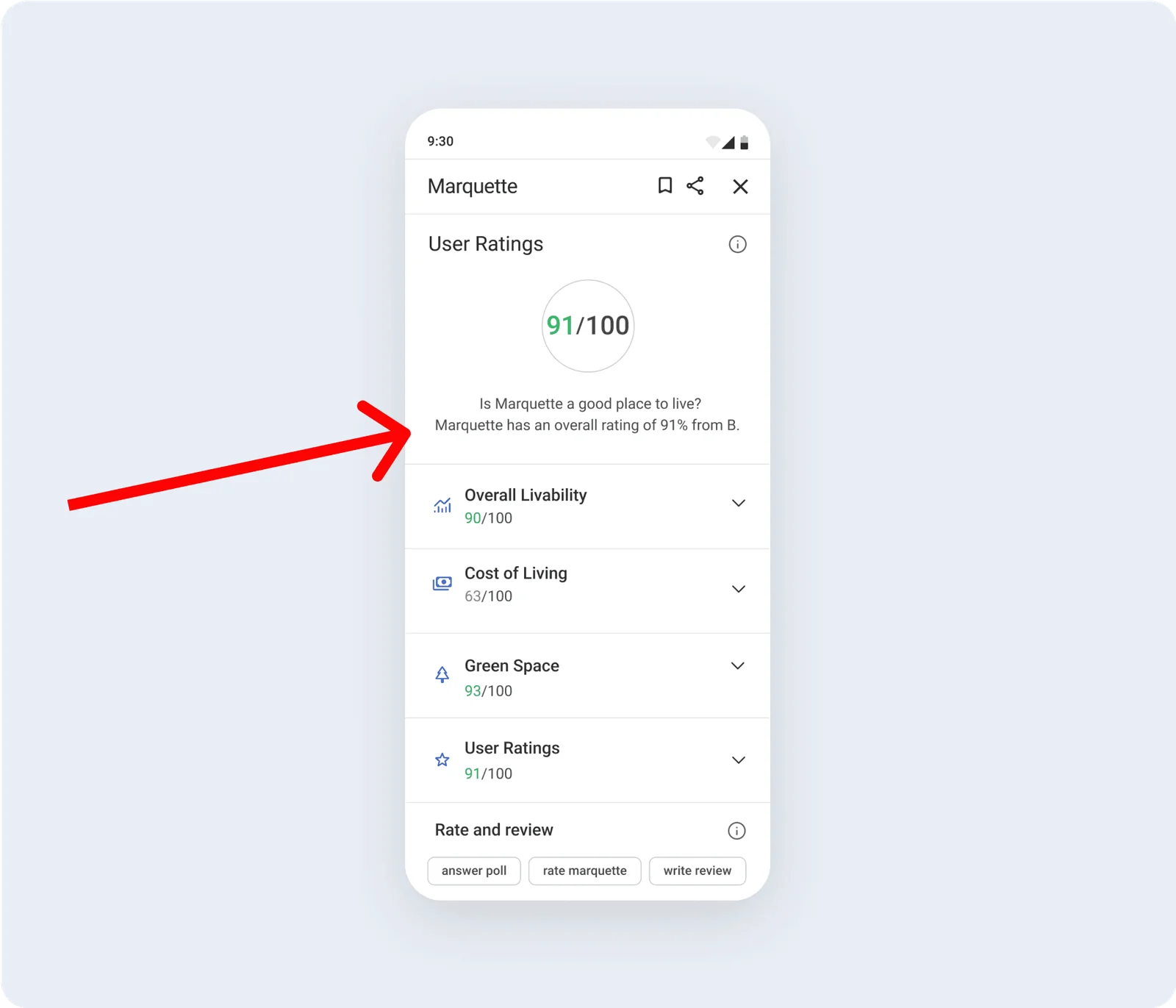
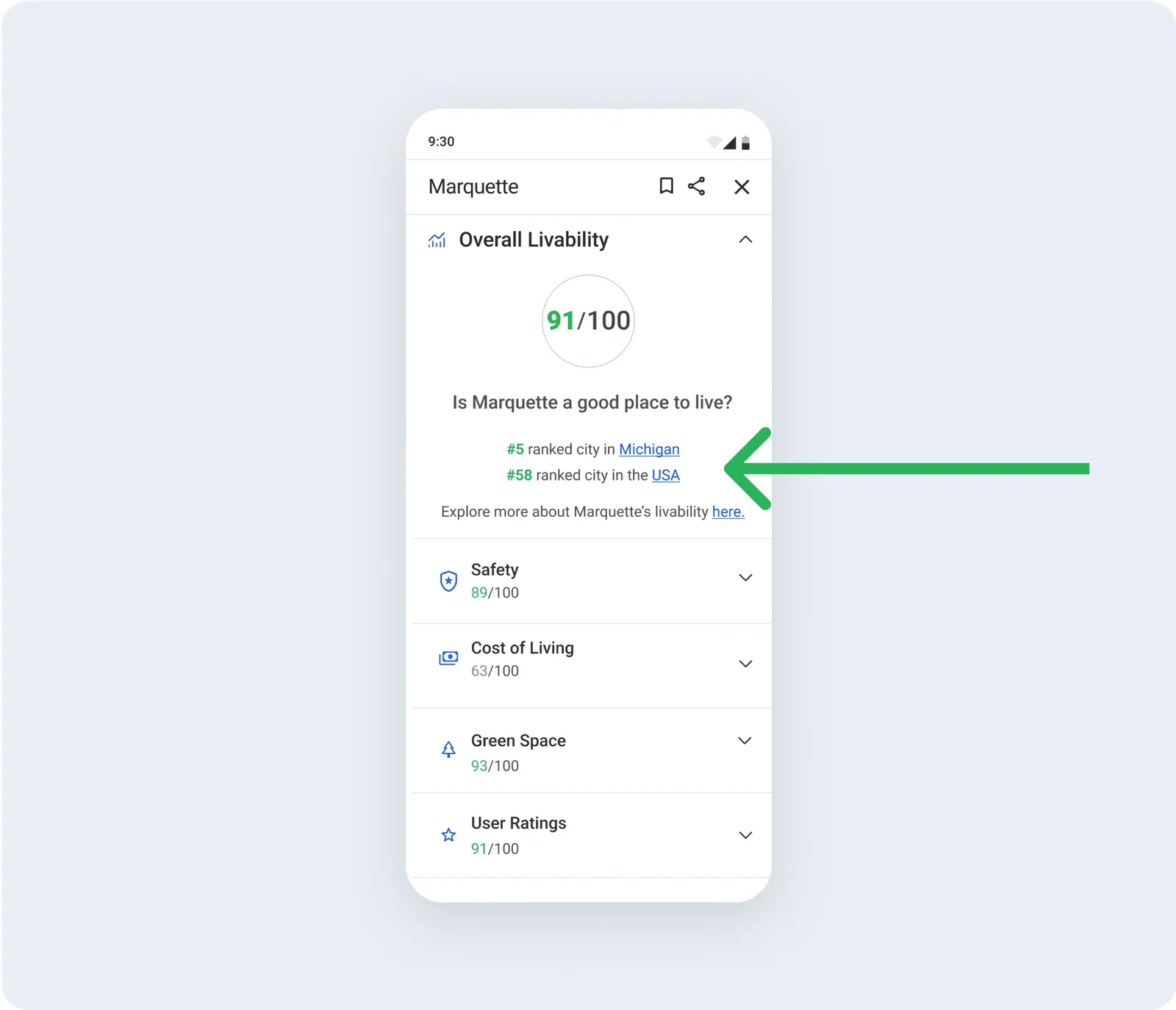
The numbers for Marquette, Michigan, the city I used in the prototype, come from the US Census Bureau’s American Community Survey.
028 interviews
I talked to 8 people planning a move or a long stay, and their top priorities came down to 4 things.
Green space, safety, cost of living and shops nearby. I interviewed them over Zoom and email, and a few of them were planning where to retire.
They also didn’t trust a single fixed score. They wanted to hear from the people who live there.
03Reading the app first
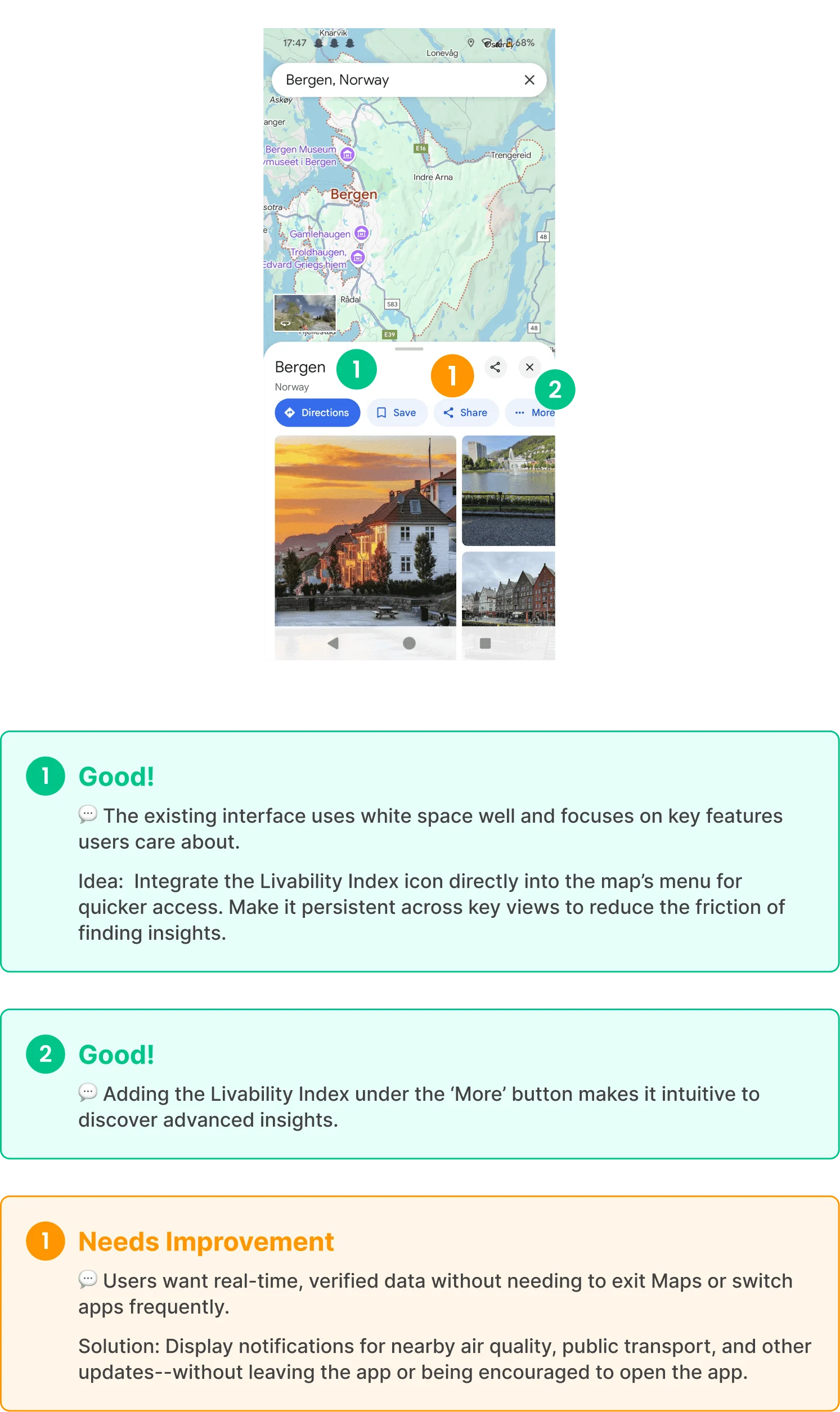
Before sketching, I audited Google Maps screen by screen.
New parts had to follow its own patterns, so I wrote down what each screen already does well and where a livability layer could sit.
I also storyboarded who would use it and when. I made the storyboards with ChatGPT’s help.
04Built in, with a risk
I weighed a livability button with fixed stats against live layers on the map, and picked the layers.
The layers carry reviews and polls from locals, so the scores can change when a neighbourhood does. They were also harder to fit into Google’s design system.
And they raised a real worry: neighbourhood scores can feed stereotypes. I listed that as 1 of the project’s constraints.
05What testing changed
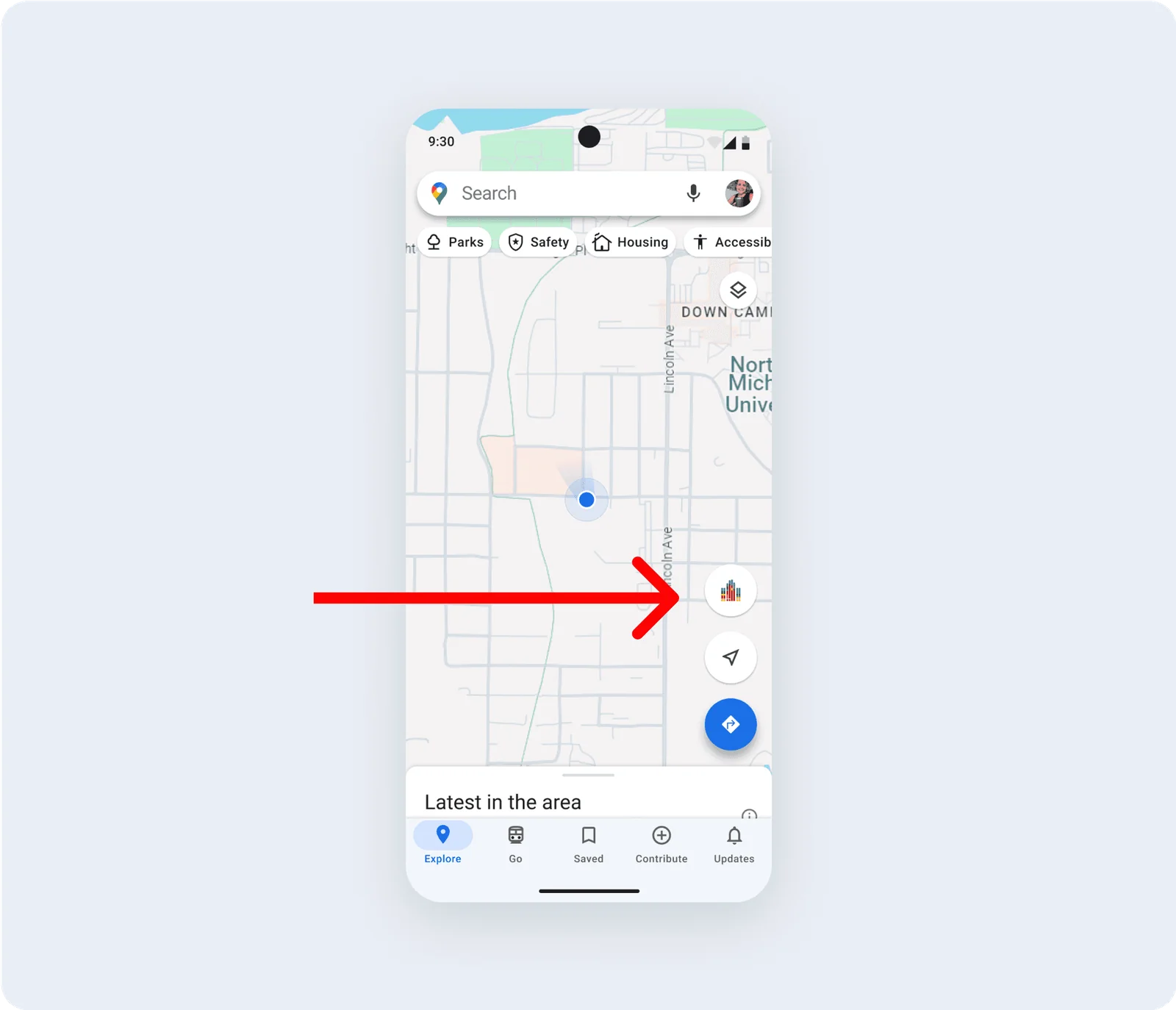
In 8 moderated tests, people couldn’t find the way in.
The entry point sat in a secondary menu, and testers kept missing it, so it moved to a tab in the top bar.
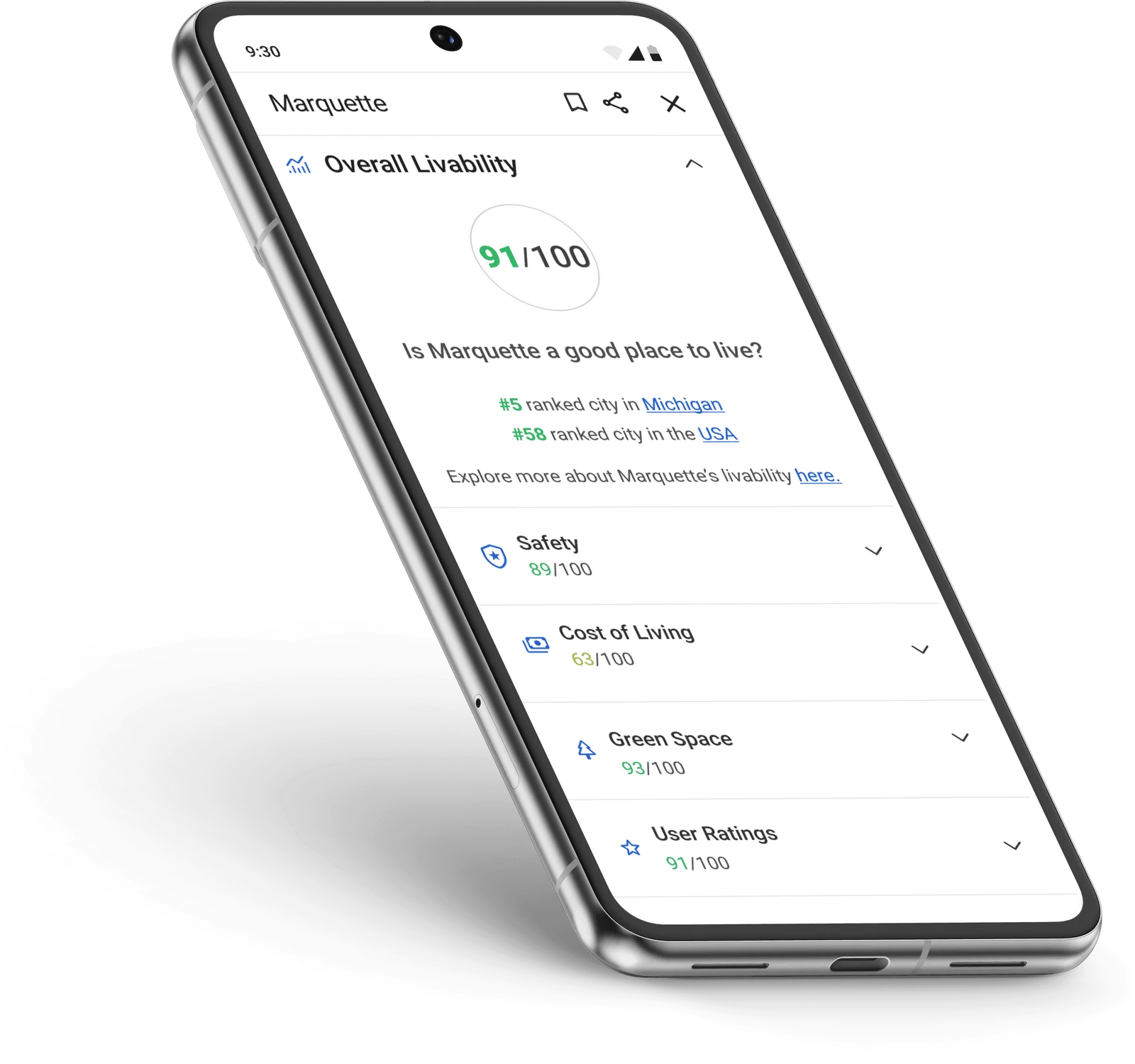
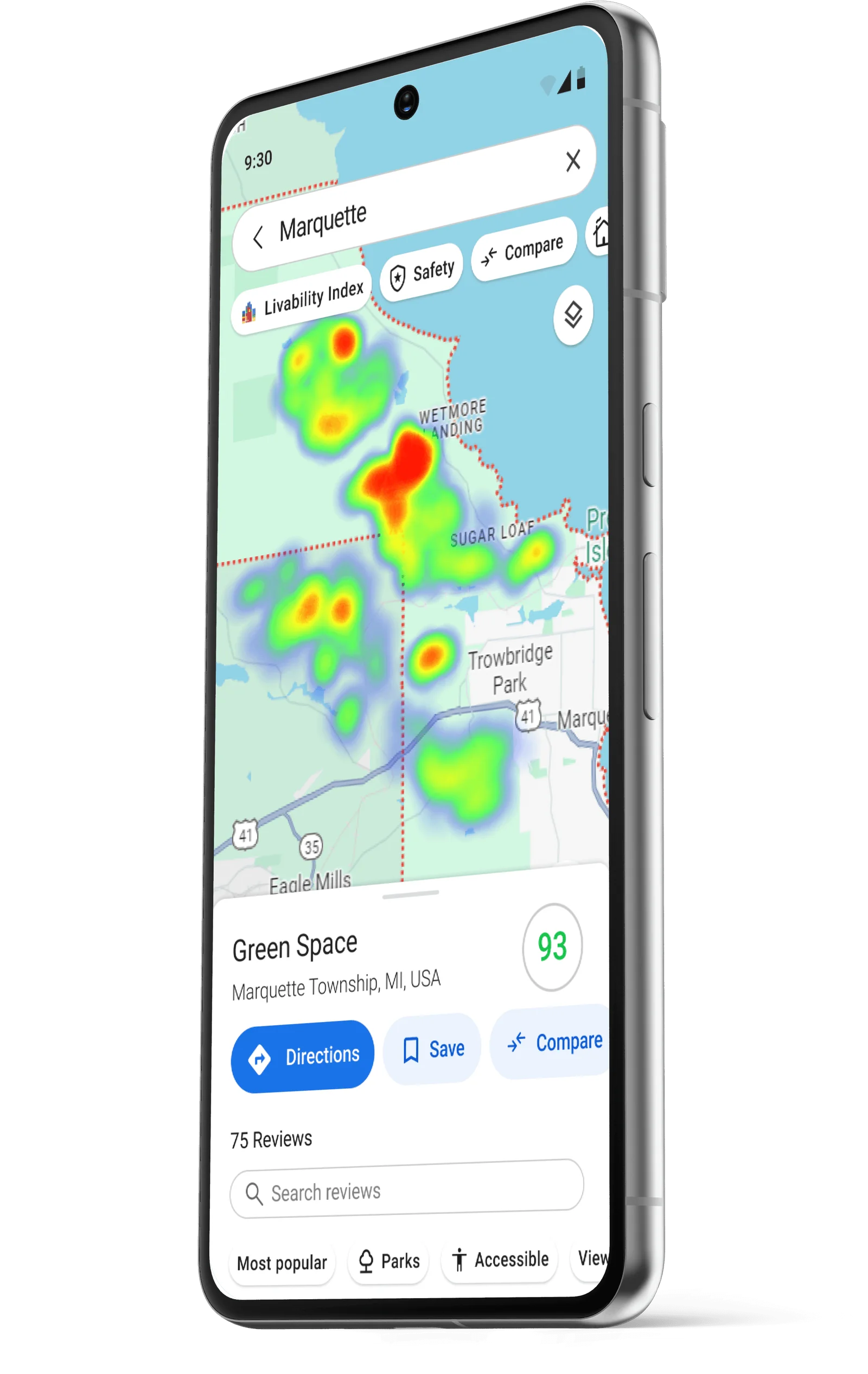
They also wanted more than 1 score. Now each metric, like safety or green space, opens into its own breakdown, and the scores show up as colour overlays on the map.
Credits
A livability layer for Google Maps
- Research and design
- Alex Jammali
- Mentor and critiques
- DesignLab UX Academy
- Data for Marquette
- US Census Bureau, American Community Survey
- Storyboards
- Made with ChatGPT’s help
Concept study · Maps · Fall 2024