Work/017/Concept study · Web app
UnStuck
A to-do app for the days when starting is the hard part.
Concept study. Designed during DesignLab’s UX Academy, not a shipped product.
- Role
- Sole designer, research and design
- With
- A DesignLab mentor and group critiques
- Year
- Spring 2025, 12 weeks (about 150 hours)
- Tools
- Figma, Framer, Otter.ai, ChatGPT, UX Pilot
01The short version
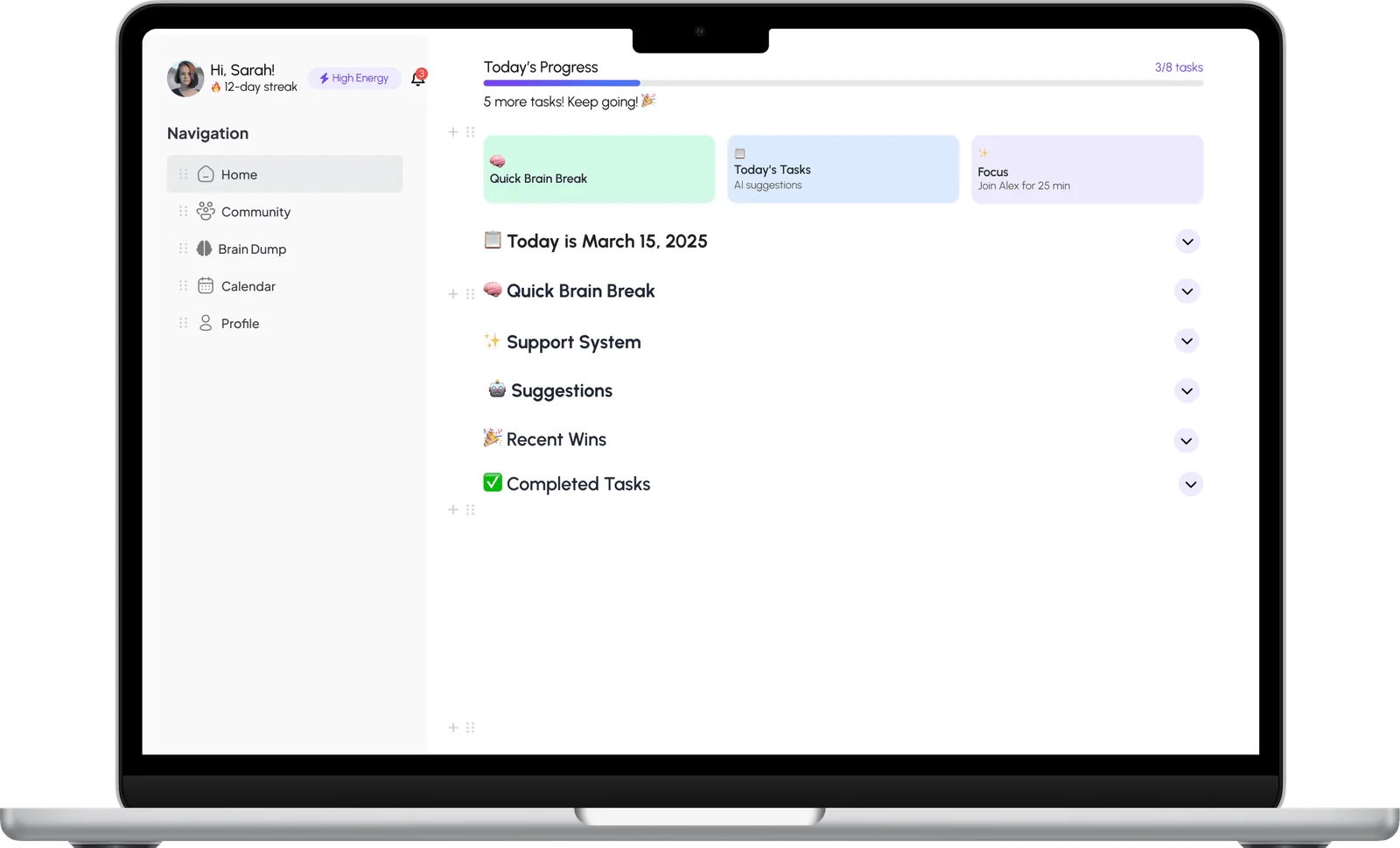
UnStuck starts with a brain dump and sorts your tasks by how much energy they take, with a buddy who checks in.
I designed it for people with ADHD. It’s a responsive web app, since a lot of people switch between phone and laptop all day.
Then I tested it with 6 people and moved the things they tripped on.
02Starting is the hard part
Most to-do apps assume you can start.
I talked to people with an ADHD diagnosis and people without one, including some who suspect they have it. I slowed the interviews down and let people answer in their own order, so everyone could take their time.
I also went through Neurolist, Goblin Tools, ADHD Bullet Journal, ChatGPT and Yoodoo. Each had a good piece, like AI help or visual planning, and none had the mix of personalisation and accountability people needed.
03A buddy who checks in
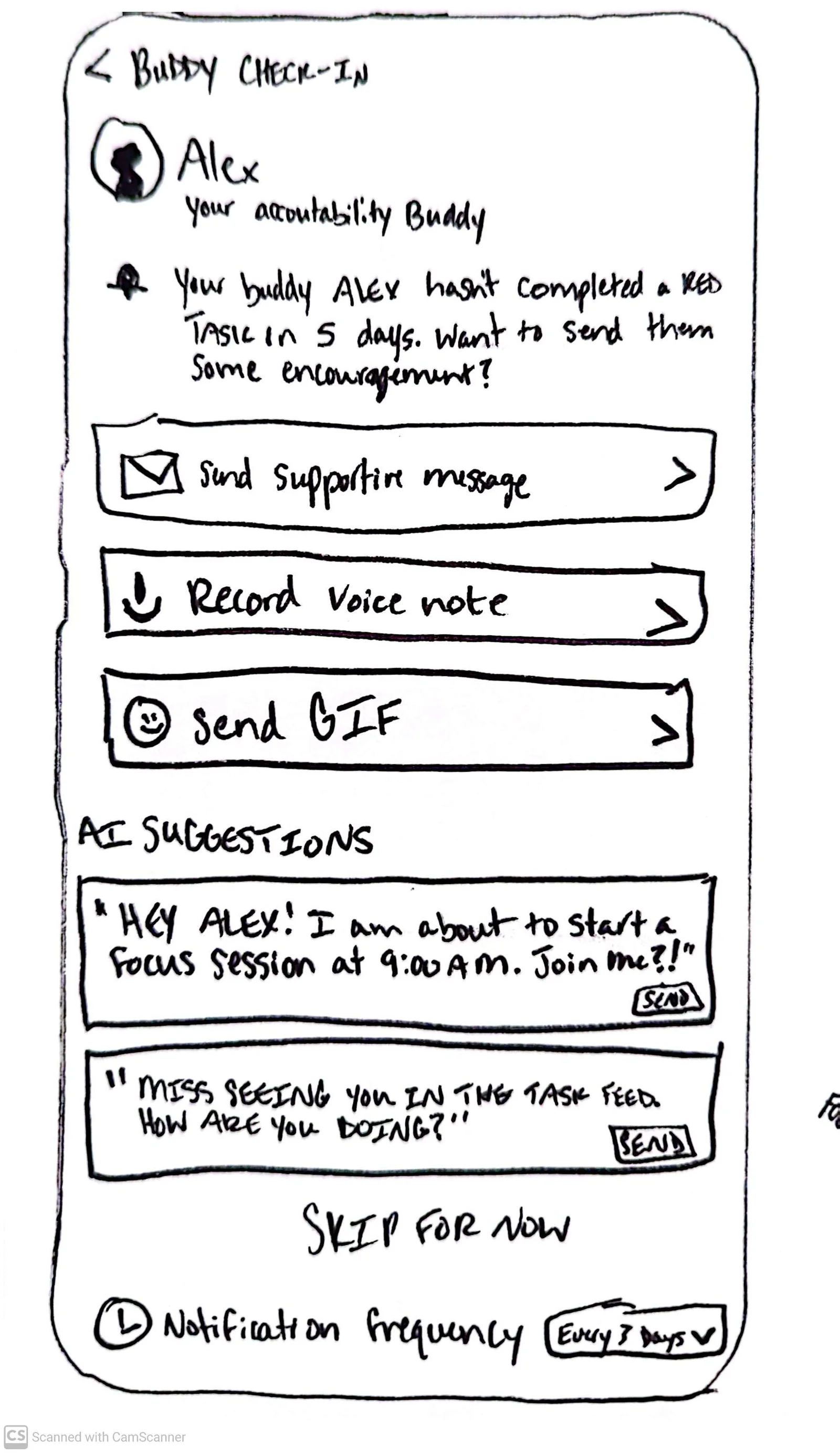
For some people, a task stops existing unless someone checks in.
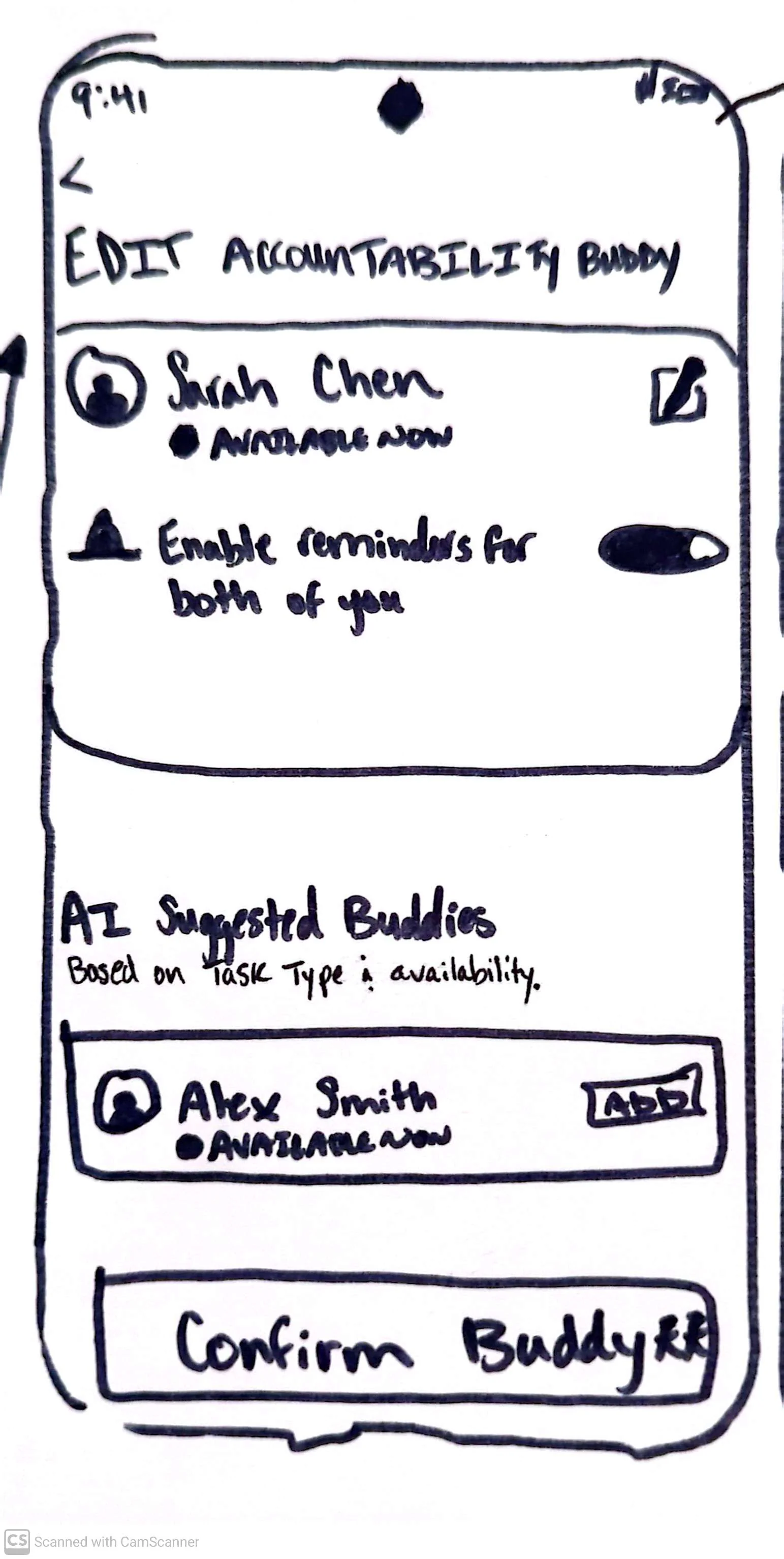
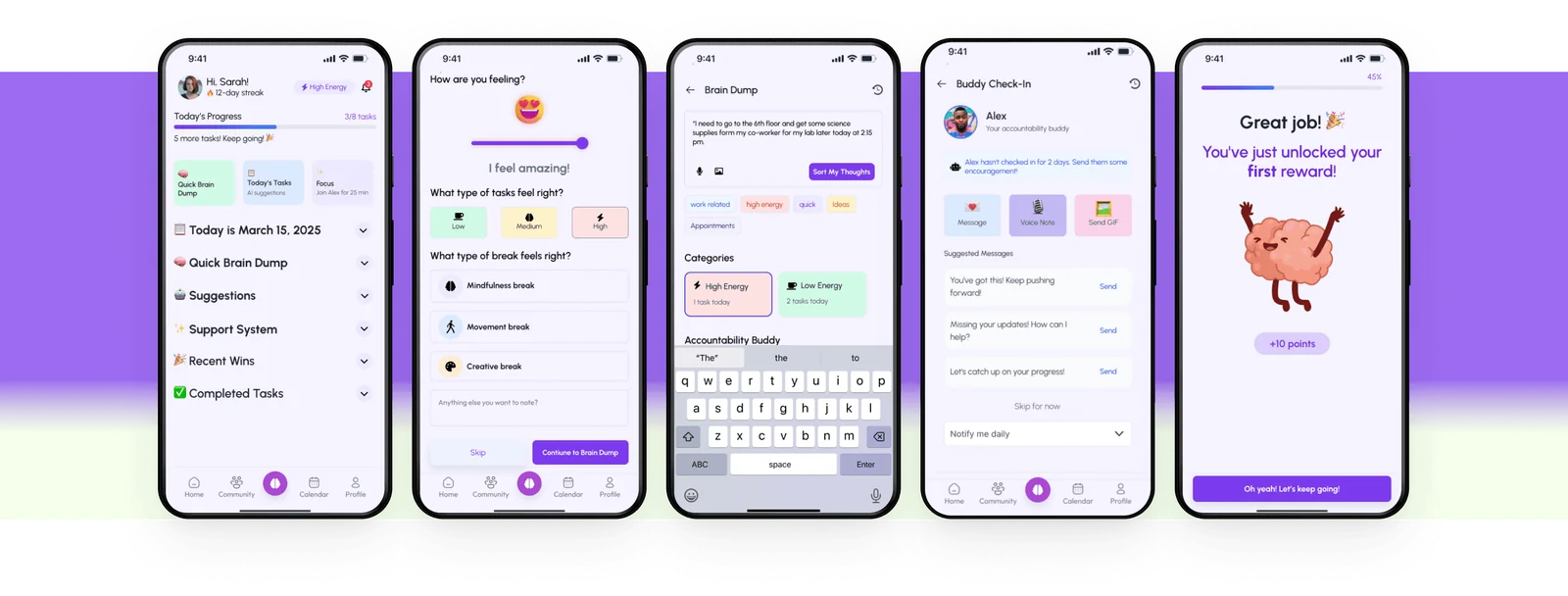
One participant, Emily, told me that about herself, and it set the 2 core flows: a brain dump that sorts the chaos, and a buddy who checks in. The buddy can be a person or the AI.
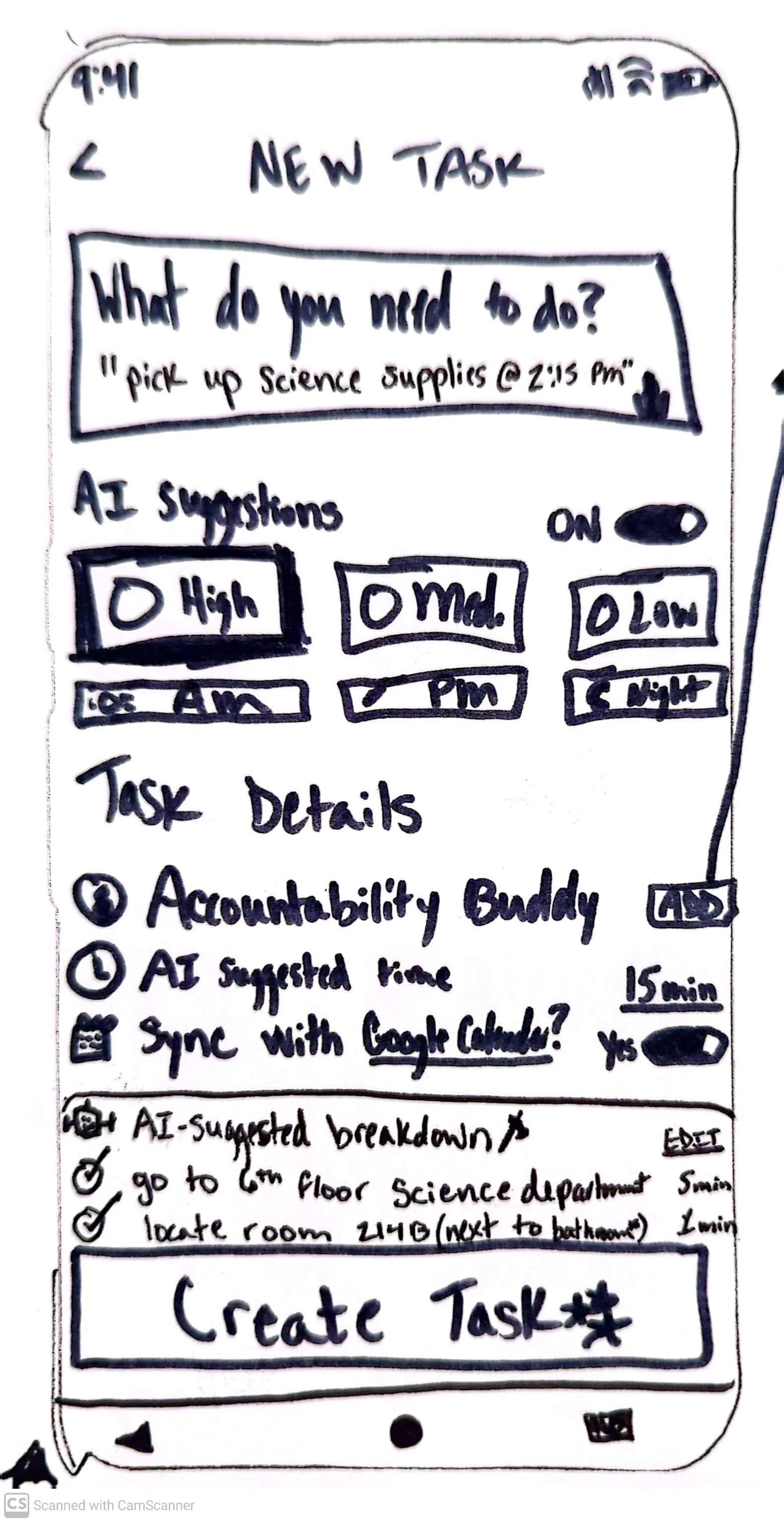
After the brain dump, the AI breaks each task into steps, guesses the effort, suggests a time of day and puts forward a buddy.
04Ahead of the tech
The sorting depends on AI agents that weren’t ready in early 2025, so every suggestion stays editable.
I designed for them anyway. You can change the effort level or the subtasks before anything lands on your calendar, so a wrong guess costs a tap.
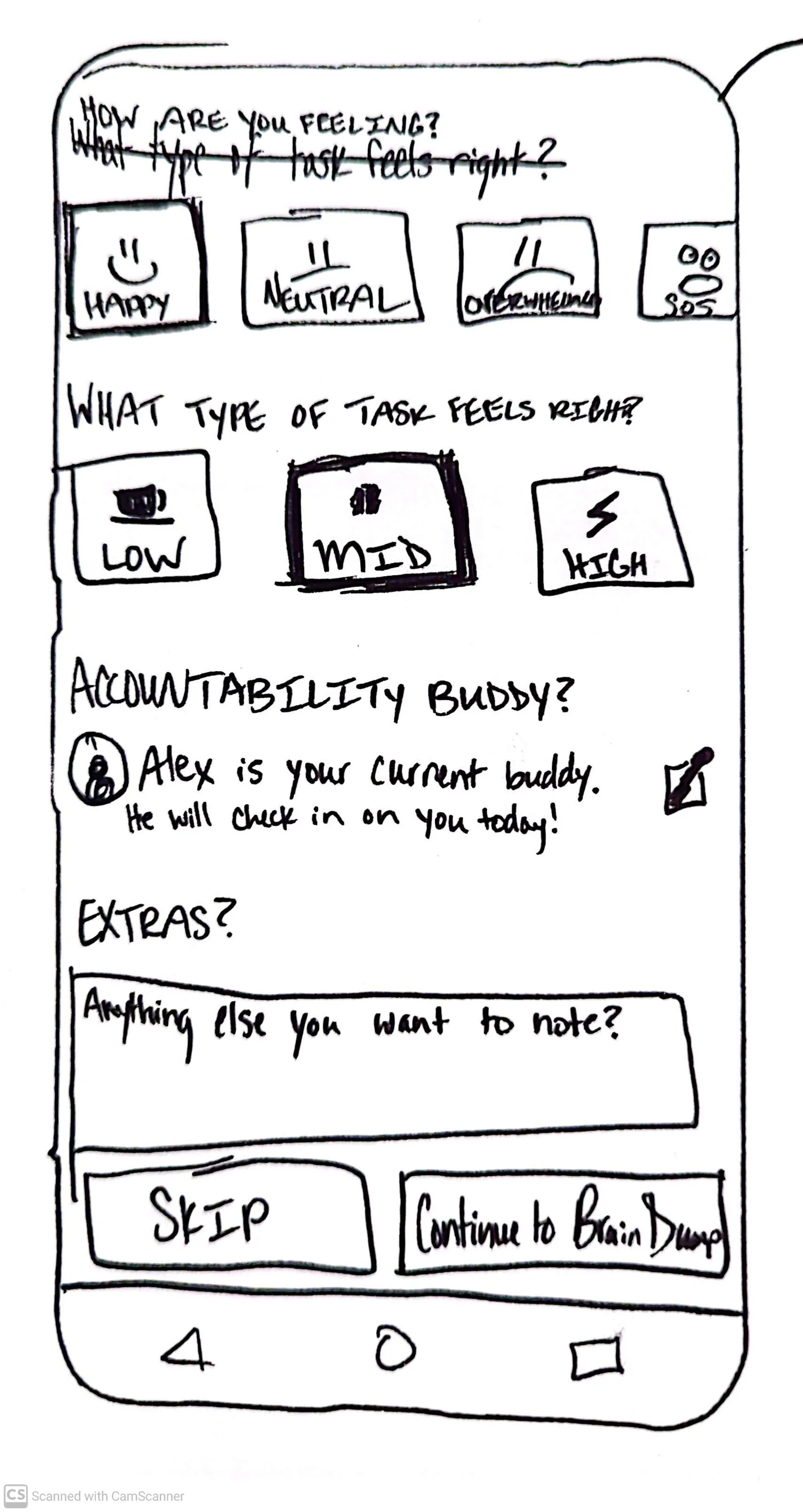
The main screens started on paper. I sketched them by hand before I opened Figma.
05What testing changed
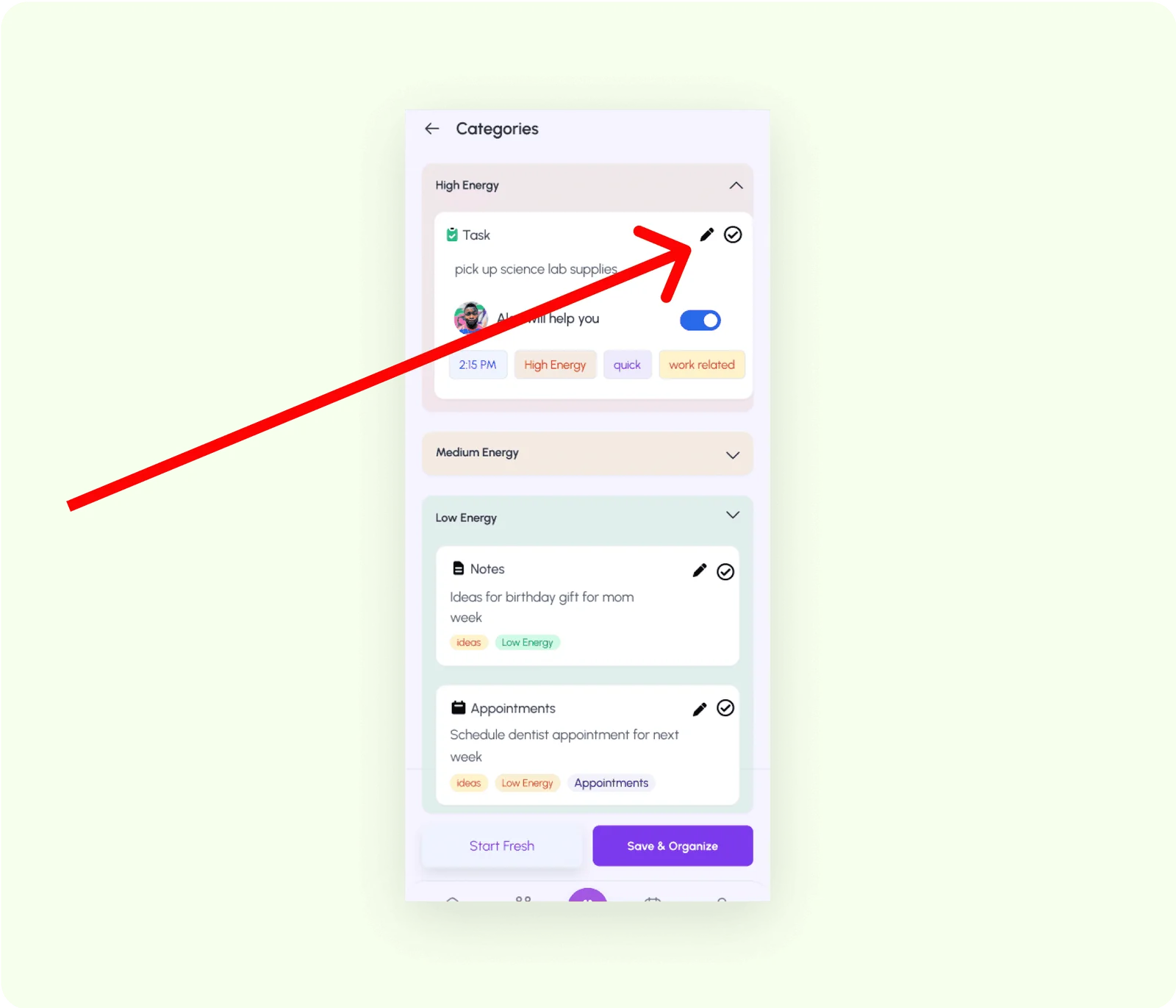
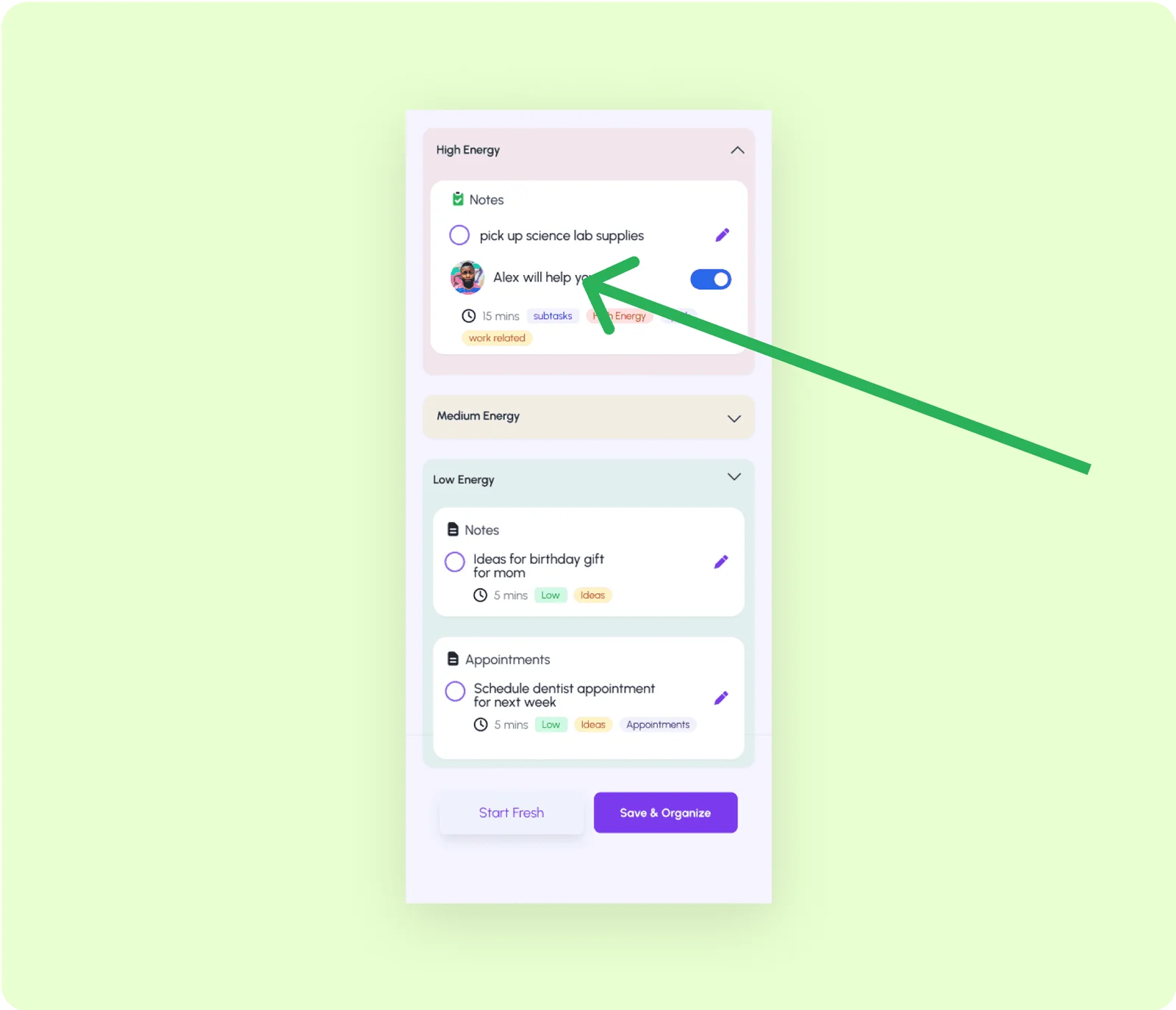
People hit edit when they meant done.
6 of 6 testers completed every task, and the notes still pointed at things to move. The checkmark for finishing a task sat right next to the pencil, so people kept opening the editor by mistake. It moved to the left edge, where other productivity apps keep it.
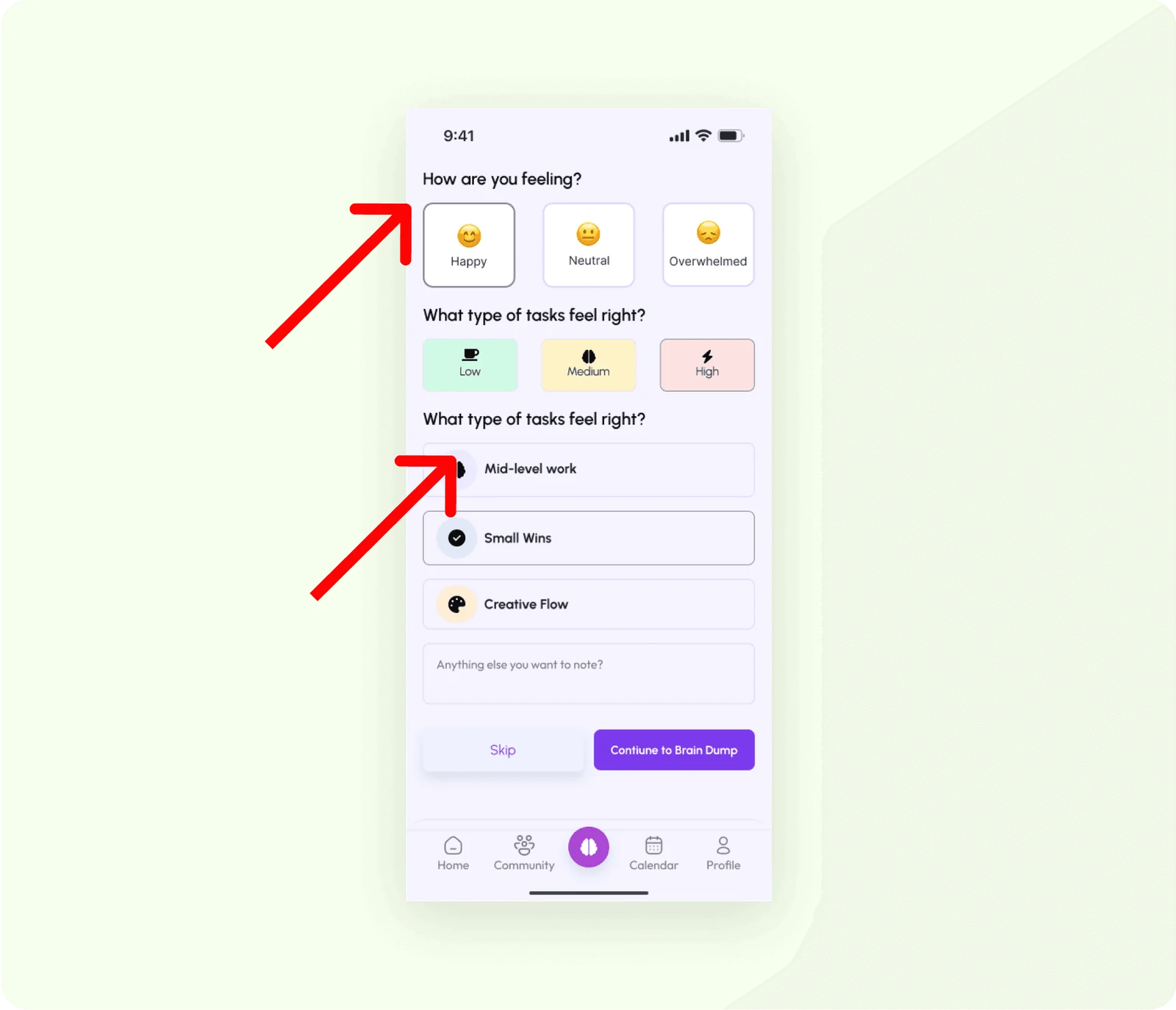
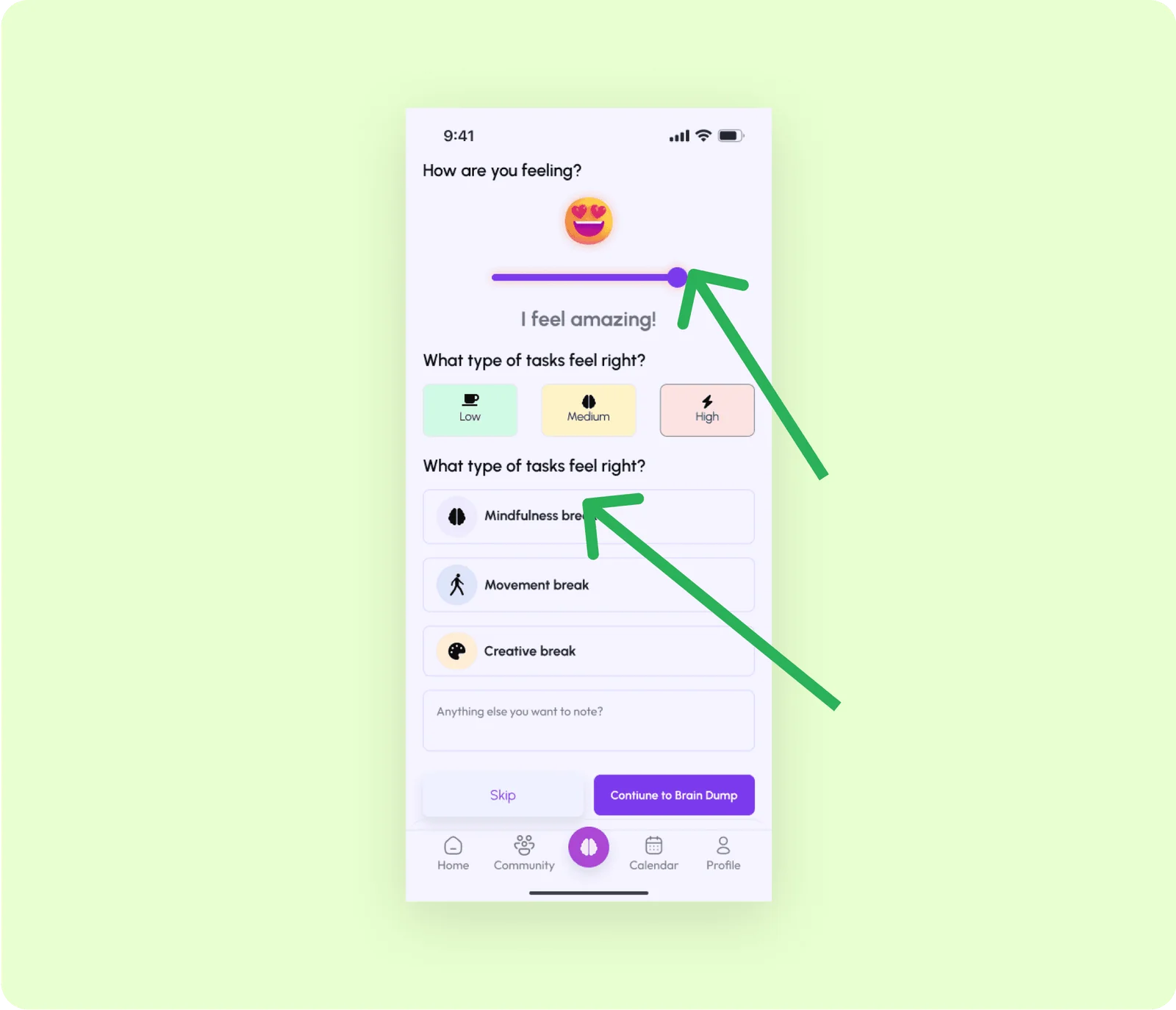
The mood check-in before a brain dump was a row of static buttons, and testers found it repetitive. One of them suggested a slider, so it became a sliding emoji scale.
Credits
UnStuck
- Research and design
- Alex Jammali
- Mentor and critiques
- DesignLab UX Academy
- Format
- Responsive web app
- Testing
- 6 testers
Concept study · Web app · Spring 2025